
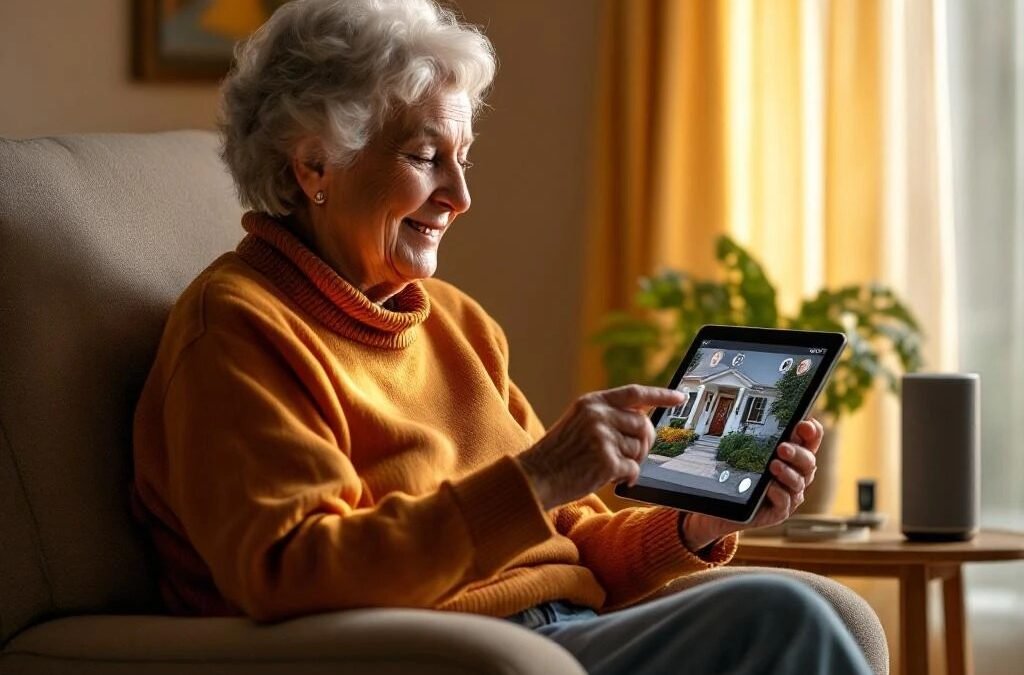
Smart Home Technology for Seniors: How Security Cameras, Smart Locks, and Automation Help Aging Parents Stay Safe at Home
Your parents want to stay in their home. You want to know they’re safe. That tension is one of the hardest things Canadian families deal with — and it’s happening in thousands of households across the GTA right now.
The good news is that the same smart home technology we install every day — security cameras, smart locks, automated lighting — can make a real difference for seniors living independently. Not as a replacement for family and community, but as a practical layer of safety that gives everyone more peace of mind.
This guide is written from our perspective as installers, not a medical device company. We’re not going to sell you a medical alert necklace. We’re going to show you how the technology you may already be considering for your home can specifically help an aging parent stay safe and independent longer.
Security Cameras: Eyes When You Can’t Be There
This is the #1 request we get from adult children in the GTA: “I want to be able to check on my mom.”
A properly placed camera system lets you see that your parent is up and moving in the morning, that they made it home from their walk, or that someone suspicious isn’t hanging around the property. It’s not about surveillance — it’s about the kind of casual awareness you’d have if you lived next door.
What Works for Seniors
Outdoor cameras on the porch and driveway — know who’s at the door before they answer it. Delivery drivers, visitors, or strangers. You get an alert on your phone when someone approaches. If your parent has mobility issues and takes time to get to the door, you can check the camera and call them to say “it’s just Canada Post, no rush.”
A doorbell camera — two-way audio lets your parent talk to visitors without opening the door. If they’re not sure who’s knocking, they can check from their couch, or you can answer from your phone across town.
Driveway and walkway cameras — in winter, you can check if their driveway has been cleared, if there’s ice on the walkway, or if they’re trying to shovel when they shouldn’t be. In the GTA, December through March is when seniors are most at risk for falls outdoors.
A note on indoor cameras: Some families want indoor cameras to monitor a parent’s daily activity. This is a personal decision that should involve the senior — dignity and privacy matter. If everyone agrees, an indoor camera in a common area (living room, kitchen) can provide reassurance without being intrusive. We never recommend bedroom or bathroom cameras.
What to Look For
— Night vision (essential for Ontario’s early winter darkness)
— Motion alerts sent to your phone
— Simple app that multiple family members can access
— Local recording so it works even if the internet goes down
— Professional installation so the cameras actually cover the right angles
Smart Locks: Independence Without the Risk
Keys are a bigger problem for seniors than most people realize. Lost keys, forgotten keys, keys that are hard to turn with arthritic hands, spare keys hidden under the mat (which every burglar checks first).
A smart lock solves all of this.
How Smart Locks Help Seniors
Keypad entry — a 4-digit code instead of fumbling with a key. Much easier with arthritis, reduced grip strength, or when carrying groceries. No key to lose, no lockout risk.
Auto-lock — the door locks itself after 30 seconds. Your parent never has to remember if they locked up. This alone is worth the upgrade for families dealing with early memory concerns.
Temporary codes for caregivers — if a PSW, cleaner, or family friend visits regularly, give them their own code. You see in the activity log exactly when they arrived and left. Revoke the code anytime. No more key copies floating around.
Remote unlock for emergencies — if your parent falls or has a medical issue, you can unlock the door from your phone so paramedics can get in without breaking it down. This is one of those features you hope you never need, but when you do, it matters enormously.
Physical key backup — always choose a smart lock that keeps a keyhole. Technology fails, batteries die. A backup key hidden in a lockbox (not under the mat) ensures your parent is never locked out.
Best Smart Lock Features for Seniors
— Large, backlit keypad buttons (easier to see and press)
— Auto-lock with adjustable timer
— Activity log visible to family members
— Battery life alerts sent to your phone (so you change them, not your parent)
— Works in Canadian winter temperatures (lithium batteries, rated to -30°C)
Smart Lighting: Simple but Powerful
Falls are the leading cause of injury for Canadian seniors, and many falls happen in the dark — getting up at night, walking to the bathroom, navigating stairs. Smart lighting addresses this directly.
Motion-activated lights — hallway and bathroom lights that turn on automatically when your parent gets up at night. No fumbling for a switch in the dark. Turns off after a few minutes.
Scheduled exterior lights — porch and walkway lights that turn on at sunset and off at sunrise, automatically adjusting for the season. In December, that means lights on by 4:30 PM. No one has to remember to flip a switch.
Voice control — “Alexa, turn on the living room light” is easier than walking to a switch for someone with mobility issues. Set up a smart speaker in the main living area and your parent can control lights, check the weather, set reminders, or call family — all by voice.
Putting It Together: A Practical Senior Safety Setup
You don’t need to automate the entire house. Here’s what we typically install for GTA families who want to help an aging parent stay safe at home:
Basic setup:
— 1 doorbell camera (front door)
— 1-2 outdoor cameras (driveway, back door)
— 1 smart lock (front door with keypad)
— Shared camera app on 2-3 family members’ phones
Enhanced setup:
— Everything above, plus:
— Motion-activated hallway and bathroom lights
— Smart speaker for voice control
— Smart thermostat (so they’re never in a cold house — and you can check remotely)
This isn’t a medical monitoring system. It’s practical home technology that happens to make independent living safer. The beauty is that most of it works quietly in the background — your parent doesn’t need to learn new technology or change their routine.
Having the Conversation
The hardest part isn’t the technology — it’s talking to your parent about it. Nobody wants to feel like they’re being watched or that their independence is being taken away.
A few things that help:
Frame it as home security, not monitoring. “I want to put cameras on your house so you can see who’s at the door” lands better than “I want to keep an eye on you.”
Start with outdoor cameras. There’s no privacy concern with cameras pointing at the driveway and front porch. Most seniors appreciate the security aspect. Indoor cameras can come later if needed and agreed upon.
Let them control it. Set up the app on their phone too. When they can see their own cameras and lock their own door from the couch, it feels empowering rather than invasive.
Involve them in the installation. Have them walk the installer through their routine — where they enter, where they sit, what their concerns are. The system should be designed around their life, not imposed on it.
Frequently Asked Questions
How much does a senior safety smart home setup cost?
A basic setup (doorbell camera + 2 outdoor cameras + smart lock) runs $1,000 – $2,500 professionally installed in the GTA. An enhanced setup with smart lighting and thermostat is $2,500 – $4,500. There are no monthly fees if you choose local recording over cloud subscriptions.
Will my parent need to learn new technology?
Minimal learning needed. The smart lock uses a keypad code — same concept as a bank PIN. Cameras run automatically. Smart lights turn on by themselves. The most “tech” thing is a voice assistant, and most seniors pick up “Alexa, turn on the light” quickly.
Can multiple family members access the cameras?
Yes. Most camera apps allow you to share access with siblings or other family members. Everyone gets alerts, everyone can check live feeds. Set clear family expectations about when and how to check — respect the senior’s privacy.
Is this a replacement for a medical alert system?
No. Smart home technology supplements safety but doesn’t replace personal emergency response systems (PERS) for seniors with high fall risk or medical conditions. If your parent needs medical alert capability (fall detection, one-button emergency calls), that’s a separate system. Smart home technology handles the day-to-day security and convenience layer.
What if my parent lives in a condo?
Condo setups work well — a doorbell camera on the unit door, a smart lock, and indoor smart lighting. Exterior cameras aren’t possible in a condo, but the lock and lighting upgrades provide significant safety benefits. Check your condo bylaws regarding door hardware changes.
Want to set up a smart home safety system for your parent in the GTA? We work with families to design the right setup — practical, respectful, and professionally installed. Get a free quote or call (416) 890-3639.