
Commercial Security Camera Systems: Complete Guide for Canadian Businesses
Installing security cameras in a business is a completely different job than putting a few cameras around a house. The stakes are higher, the coverage requirements are more complex, and the technical infrastructure needs to be reliable enough to run 24/7/365 without someone resetting the router every few days.
If you run a retail store in Vaughan, a warehouse in Brampton, or an office in downtown Toronto, this guide covers everything you need to know about commercial security camera systems — what they cost, how they differ from residential, and what Ontario businesses need to get right from day one.
Commercial vs Residential: Why Business Security Is Different
The cameras might look similar on the outside, but commercial security systems are built for a fundamentally different purpose. Here’s what separates them:
Coverage area: A typical GTA home needs 4-8 cameras covering about 2,000-3,000 square feet of exterior and a few interior angles. A small retail store might need 8-16 cameras covering the sales floor, cash registers, storage room, back door, loading area, and parking lot. A warehouse could need 32-64 cameras across 50,000+ square feet.
Recording duration: Homeowners typically keep 7-14 days of footage. Businesses often need 30-90 days — sometimes longer for insurance, liability, or regulatory reasons. That means significantly more storage capacity.
Uptime requirements: If a home camera goes offline for a few hours, it’s annoying. If a retail camera goes down on Black Friday or a warehouse camera fails during overnight shipping operations, you have a liability gap. Commercial systems are built with redundancy — backup storage, failover recording, and alerts when a camera drops offline.
User access: A homeowner and their spouse need access. A business might need the owner, store manager, loss prevention team, and a security monitoring company all accessing the same system with different permission levels. Commercial systems handle multi-user access with audit trails showing who viewed what footage and when.
Types of Commercial Camera Systems
IP (Internet Protocol) Camera Systems
IP cameras are the current standard for commercial installations. Each camera is a networked device that sends digital video over Ethernet cables (Cat5e or Cat6) to a Network Video Recorder (NVR) or directly to cloud storage.
Advantages: Higher resolution (up to 4K and beyond), flexible placement using existing network infrastructure, Power over Ethernet (PoE) means one cable provides both data and power, remote viewing from any internet-connected device, and advanced features like AI-powered analytics, facial detection, and licence plate recognition.
Disadvantages: Higher per-camera cost than analog, requires a properly configured network with sufficient bandwidth, and cybersecurity becomes a consideration since cameras are network devices.
Best for: Retail stores, offices, restaurants, multi-location businesses, and any operation where image quality and remote access matter. This is what we install for 90% of commercial clients across the GTA.
Analog (CCTV) Camera Systems
Traditional closed-circuit cameras that send video over coaxial cable to a Digital Video Recorder (DVR). These systems have been around for decades and are still used in some applications.
Advantages: Lower per-camera cost, simpler technology with fewer cybersecurity concerns, and existing coaxial wiring from an older system can often be reused.
Disadvantages: Lower resolution (typically 1080p maximum), limited cable run distance before signal degrades, no PoE (separate power cables needed), fewer smart features, and the technology is being phased out by manufacturers. Finding replacement parts and compatible equipment is getting harder each year.
Best for: Budget-constrained small businesses upgrading from no cameras at all, or businesses with existing coaxial infrastructure that want cameras now and plan to upgrade to IP later. We still install these when budget is the primary constraint, but we always design the cable paths to accommodate a future IP upgrade.
Hybrid Systems
Some businesses have a mix — existing analog cameras that still work fine in some areas, with new IP cameras added where higher resolution or smart features are needed. Hybrid NVRs can record from both analog and IP cameras simultaneously.
Best for: Businesses expanding an existing analog system without replacing everything at once. This is a practical approach for phased upgrades — replace cameras as they age out over 2-3 years rather than doing a full rip-and-replace.
Camera Placement for Different Business Types
Retail Stores
Retail has specific security challenges: shoplifting, employee theft, cash handling, and slip-and-fall liability claims.
Essential camera positions: Every entrance and exit (facial identification as people enter and leave), every cash register (overhead angle showing the counter and transaction), the sales floor (wide-angle cameras covering aisles, with particular attention to high-value merchandise areas), the storage room and receiving area (inventory shrinkage often happens here, not on the sales floor), and the back door and loading dock.
GTA retail note: Many retail plazas in Vaughan, Markham, and Mississauga have shared parking lots where the landlord handles exterior cameras. Confirm what your lease covers before installing exterior cameras on a unit you don’t own — some landlords require approval or prohibit tenant-installed exterior equipment.
Warehouses and Industrial
Warehouses need coverage across large open areas, often with poor lighting, high ceilings, and temperature extremes.
Essential camera positions: All entry and exit points (truck bays, personnel doors, emergency exits), shipping and receiving areas (capturing what goes in and out of every vehicle), inventory storage areas (especially high-value zones), perimeter coverage (fence lines, parking areas, exterior walls), and any areas where employees work alone (safety compliance).
Technical considerations: Warehouses in Brampton and Mississauga’s industrial areas often have 25-35 foot ceilings. Cameras need to be mounted high enough to avoid obstruction from racking but low enough to capture useful detail. Wide Dynamic Range (WDR) cameras are essential for loading docks where you have bright outdoor light pouring through an open bay door next to a dimly lit interior — a standard camera will either overexpose the door or underexpose the interior.
Office Spaces
Office camera systems balance security with employee privacy expectations.
Essential camera positions: Main entrance and reception area, server room or IT closet (access control and monitoring), any areas with valuable equipment, parking garage or lot entrances, and hallways near sensitive areas (finance, executive offices).
Privacy note: In Ontario, you cannot install cameras in areas where employees have a reasonable expectation of privacy — washrooms, change rooms, break rooms (debatable, but generally avoided), and private offices with closed doors. You must notify employees that video surveillance is in use. More on Ontario compliance requirements below.
Restaurants and Food Service
Essential camera positions: Cash register and POS terminals, dining area (liability coverage), kitchen (food safety compliance, optional but increasingly common), back door and delivery area, walk-in cooler and dry storage (inventory control), and bar area if applicable (pour accuracy and liquor control).
GTA restaurant note: Many restaurants in the GTA are in older buildings with limited ceiling space and challenging wiring paths. Plan for surface-mounted conduit if you can’t run cables through the ceiling — it costs more but looks professional and meets commercial building standards.
Network Infrastructure Requirements
This is where commercial camera systems get technical — and where most DIY approaches fall apart for businesses.
Bandwidth
A single 4K IP camera streaming continuously uses 8-16 Mbps of bandwidth on your local network. Multiply that by 16 cameras and you’re pushing 130-250 Mbps of continuous video traffic through your network. If that traffic shares the same network as your point-of-sale system, computers, and customer Wi-Fi, everything slows down.
The solution: A dedicated VLAN (Virtual Local Area Network) for cameras that separates surveillance traffic from business traffic. This requires a managed network switch ($200 – $800 depending on the number of ports) and proper configuration. It’s not expensive, but it’s not something you can set up without networking knowledge.
PoE Switches
Power over Ethernet switches provide both data connectivity and electrical power to cameras through a single Ethernet cable. This eliminates the need for power outlets at every camera location — a major advantage in commercial installations where cameras are mounted on ceilings, exterior walls, and poles.
Budget guide: An 8-port PoE switch runs $100 – $250. A 16-port PoE switch is $200 – $500. A 24-port managed PoE switch with sufficient power budget for 24 cameras is $400 – $900. The power budget matters — each camera draws 10-25 watts, and the switch needs to provide enough total wattage for all connected cameras.
Storage
Commercial NVRs need to store far more footage than residential systems. Here’s a rough guide:
8 cameras at 1080p, 30-day retention: 4-8 TB of storage. NVR cost: $500 – $1,200.
16 cameras at 4K, 30-day retention: 16-32 TB of storage. NVR cost: $1,200 – $3,000.
32 cameras at 4K, 90-day retention: 64-128 TB of storage. Enterprise NVR or server: $3,000 – $8,000.
Hard drives fail. In a commercial system running 24/7, a surveillance-rated hard drive (Western Digital Purple or Seagate SkyHawk) lasts 3-5 years. Budget for drive replacements and consider RAID configurations (mirrored drives) so a single drive failure doesn’t wipe your footage.
Internet Connectivity
Remote viewing requires upload bandwidth from your business internet connection. Most Canadian business internet plans from Bell, Rogers, or Cogeco provide 10-30 Mbps upload speed, which is sufficient for remote viewing of 2-4 camera streams simultaneously. If you need to stream more cameras remotely or have cloud backup, consider a business internet plan with higher upload speeds.
Access Control Integration
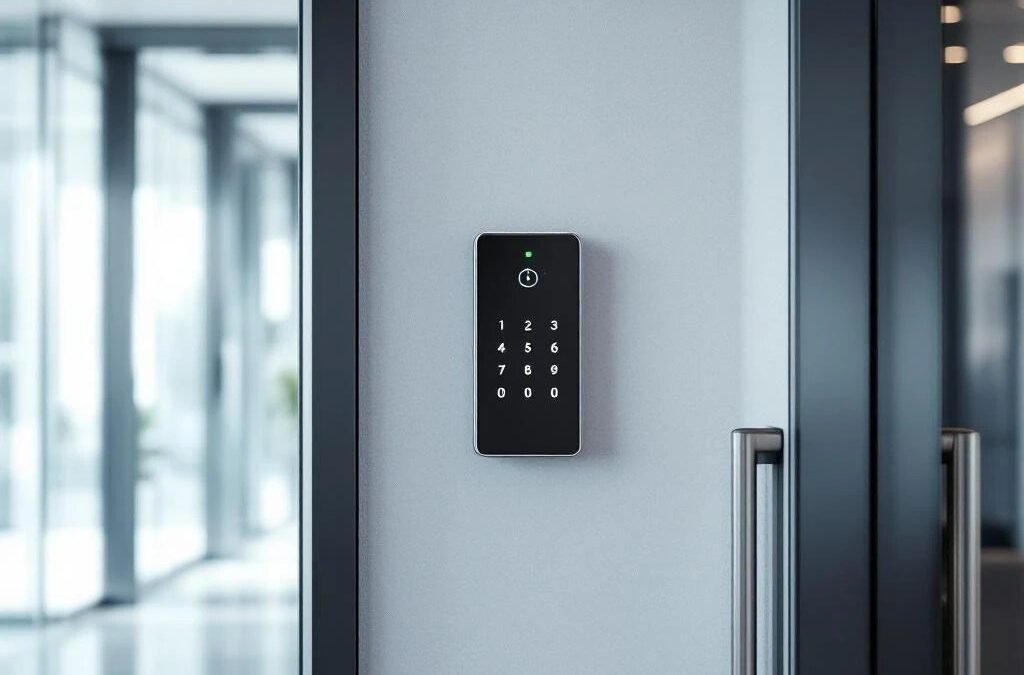
Commercial security increasingly combines cameras with access control — electronic locks, card readers, or keypads that control and log who enters which doors and when.
Basic integration: A camera triggers recording when an access card is swiped, creating a video record linked to every entry event. If an employee reports their card stolen, you can pull up every access event for that card with video footage to see who actually used it. Cost: $500 – $1,500 per controlled door (reader + controller + lock + camera integration).
Advanced integration: Access control tied to time schedules (cleaning crew card only works 6 PM – 10 PM), anti-passback (card must be used to enter AND exit, preventing card sharing), elevator control (card determines which floors you can access), and visitor management (temporary badges with automatic expiration). Cost: $1,500 – $5,000 per door for enterprise-grade systems, plus central management software at $500 – $3,000.
For GTA businesses with multiple locations — say a restaurant group with three locations in Markham, Vaughan, and downtown Toronto — cloud-managed access control lets you manage all locations from one dashboard. Grant or revoke access for an employee across all three sites in seconds.
Ontario Compliance and Legal Considerations
PIPEDA and Privacy Laws
Canada’s Personal Information Protection and Electronic Documents Act (PIPEDA) governs how businesses collect, use, and disclose personal information — and video footage of identifiable individuals counts as personal information.
What this means for your cameras: You must have a legitimate purpose for surveillance (security is a legitimate purpose). You must notify people they’re being recorded — visible signage at all entrances stating that video surveillance is in use. You must limit collection to what’s necessary — don’t point cameras at areas where they’re not needed for security. You must protect the footage from unauthorized access. You must have a retention policy — keep footage only as long as necessary, then delete it.
Practical implementation: Post clear “Video Surveillance in Use” signs at every entrance and in monitored areas. Keep a written surveillance policy that states the purpose of your cameras, who has access to footage, and how long footage is retained. Most Ontario businesses retain footage for 30-90 days unless an incident requires longer preservation.
Employee Monitoring
Ontario’s Working for Workers Act requires employers to disclose electronic monitoring of employees, including video surveillance. You must have a written electronic monitoring policy that describes what monitoring takes place, how information is collected, and the purposes for which it may be used. This policy must be provided to all employees.
Audio Recording
Video recording in areas where people don’t have a reasonable expectation of privacy (sales floors, lobbies, parking lots) is generally permitted with proper notice. Audio recording has stricter rules under the Criminal Code of Canada — you generally need at least one party to consent to the recording. Many commercial camera systems have audio capability, but we typically advise clients to disable audio recording unless they have specific legal advice supporting its use.
Footage Requests
Police, insurance companies, and lawyers may request your surveillance footage. Have a process in place for handling these requests. Police can compel footage with a warrant. Insurance companies and lawyers typically need your consent or a court order. Keep incident footage preserved separately from your regular retention cycle — tag and export it as soon as you’re aware of an incident.
Cost Ranges for Different Business Sizes
Small Business (Under 2,000 sq ft — Small Retail, Salon, Clinic)
4-8 IP cameras, 8-port PoE switch, 8-channel NVR with 4TB storage, basic network configuration, and installation. Total: $2,500 – $5,000. Monthly monitoring (optional): $30 – $50.
Medium Business (2,000-10,000 sq ft — Restaurant, Multi-Room Office, Auto Shop)
8-16 IP cameras, 16-port managed PoE switch, 16-channel NVR with 8-16TB storage, VLAN configuration, access control on 2-4 doors, and installation. Total: $5,000 – $15,000. Monthly monitoring (optional): $50 – $100.
Large Business (10,000+ sq ft — Warehouse, Multi-Storey Office, Manufacturing)
16-64 IP cameras, multiple PoE switches, enterprise NVR or server with 32-128TB storage, full network infrastructure, access control on multiple doors, and installation. Total: $15,000 – $50,000+. Monthly monitoring (optional): $100 – $300.
These ranges include professional installation. The equipment alone is typically 50-60% of the total cost, with installation, cabling, and configuration making up the rest.
Common Mistakes in Commercial Camera Installations
Using residential cameras in a commercial setting. We’ve seen businesses install Ring cameras on their storefront. These cameras aren’t built for 24/7 commercial use, they lack the resolution and features needed for loss prevention, and they rely on your Wi-Fi rather than a hardwired connection. They’ll get the job done for a home porch but not for a busy retail floor.
Insufficient lighting. Cameras need light to capture usable footage. Even cameras with infrared night vision produce better images with some ambient light. Budget for exterior lighting at key camera positions — parking lots, loading docks, back entrances. LED security lights are energy-efficient and dramatically improve nighttime footage quality. Ontario hydro rates make LED the only sensible choice for lights that run 10-12 hours per night.
Ignoring cybersecurity. IP cameras are network devices, which means they can be hacked if not properly secured. Change default passwords (the number one vulnerability), update firmware regularly, isolate cameras on their own VLAN, and disable UPnP. If your cameras are accessible from the internet, use a VPN rather than exposing them directly.
No maintenance plan. Commercial cameras need periodic cleaning (especially exterior cameras in Canadian weather — salt spray, dust, and ice), firmware updates, storage drive health checks, and alignment verification. Budget for an annual maintenance visit to keep your system performing properly.
Frequently Asked Questions
How much does a commercial security camera system cost in Canada?
For a small business with 4-8 cameras, expect $2,500 – $5,000 installed. Medium businesses with 8-16 cameras and access control run $5,000 – $15,000. Large facilities with 16-64 cameras can range from $15,000 – $50,000+. These include professional-grade IP cameras, recording equipment, network infrastructure, and installation.
Do I need a permit for commercial security cameras in Ontario?
Generally, no building permit is required for security camera installation in Ontario. However, if the installation involves electrical work beyond low-voltage wiring (PoE is low-voltage), you may need an electrical permit. Check with your municipality. You do need to comply with PIPEDA privacy requirements — signage, a written policy, and proper data handling.
How long should a business keep security camera footage?
Most Ontario businesses retain footage for 30-90 days. Some industries have specific requirements — financial institutions, cannabis retail, and licensed establishments may need longer retention. Your retention period should balance storage costs with your risk profile and any regulatory requirements. When in doubt, 30 days is a reasonable default for most small and medium businesses.
Can I use my existing network for commercial cameras?
Technically yes, but it’s not recommended. Camera traffic can consume significant bandwidth and affect your business operations. At minimum, create a separate VLAN for cameras. Ideally, install a dedicated PoE switch for your camera network. The cost of network infrastructure ($500 – $2,000) is small compared to the disruption of your POS system freezing because 16 cameras are flooding the network.
What’s the difference between commercial and residential security cameras?
Commercial cameras are built for 24/7 operation with higher-quality sensors, better weather ratings (important for Canadian conditions), longer warranty periods, vandal-resistant housings, and advanced features like AI analytics and integration with access control systems. They also use commercial-grade NVRs with RAID storage, redundant power supplies, and enterprise management software. The trade-off is higher cost — a commercial camera costs $300 – $800 compared to $60 – $250 for residential models.
Get a Commercial Security Assessment
Every business is different. A retail store in a plaza has different needs than a standalone warehouse, and a professional office has different requirements than a restaurant. We do free on-site assessments for GTA businesses — we’ll walk your property, identify coverage requirements, check your network infrastructure, and provide a detailed quote with equipment specs and a site map showing camera placement.
Get a free quote or call us at (416) 890-3639 to schedule your commercial security assessment.