
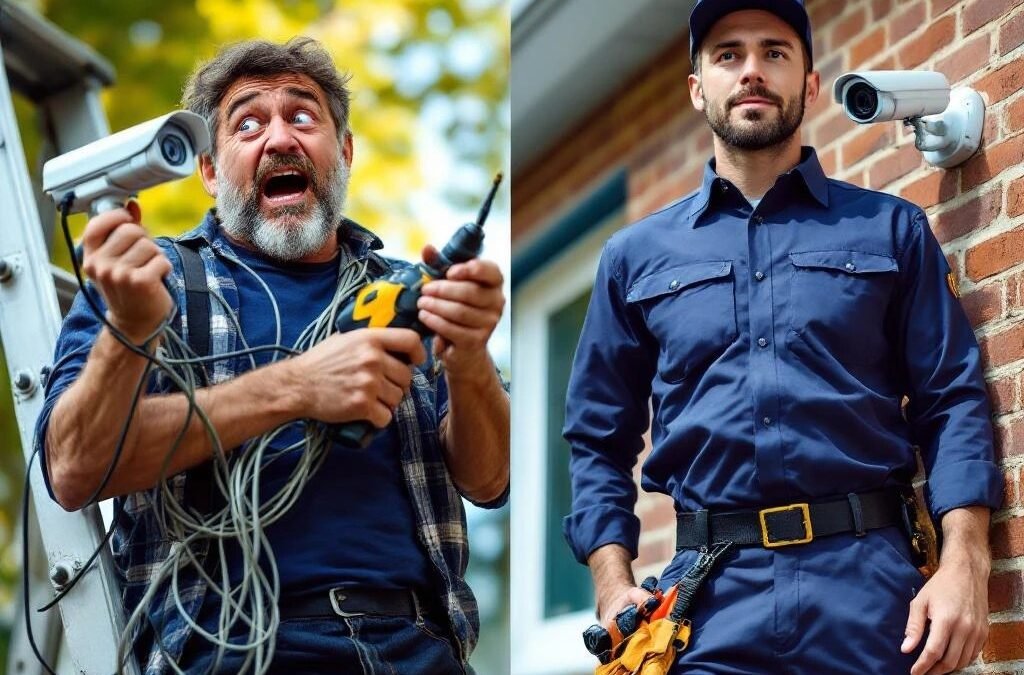
Security Camera Installation: DIY or Hire a Professional?
You’ve decided you want security cameras. Now the big question: do you set them up yourself or hire someone? Both options work, but they’re suited for very different situations. Here’s an honest breakdown from a team that installs cameras every day — including what we think you can handle yourself and when you really should call a pro.
When DIY Makes Sense
Let’s be real — not every camera job needs a professional. If any of these describe your situation, DIY is a solid option:
One or two indoor cameras: A wireless indoor camera (like a Blink or Wyze) sits on a shelf, plugs into an outlet, connects to WiFi, and you’re done. Takes 10 minutes. No reason to pay someone for this.
A wireless doorbell camera: Ring and Google Nest doorbells replace your existing doorbell with basic tools. If your current doorbell wiring works, it’s a 30-minute job with a screwdriver.
You’re technically comfortable: If you’ve mounted a TV, run an ethernet cable, or set up a home network — you have the skills for a basic camera install.
Your setup is simple: Single-storey home, cameras going on vinyl siding, no cables to run through walls, strong WiFi everywhere.
When You Should Hire a Professional
And here’s when DIY goes from “weekend project” to “I’ve been on the roof for 4 hours and nothing works”:
You Want Wired Cameras
PoE (Power over Ethernet) cameras are the gold standard — reliable, no WiFi dropouts, no battery changes. But running ethernet cable through walls, attics, soffits, and into an NVR requires drilling, fishing cables, and knowing which walls you can and can’t drill through. In a typical GTA two-storey home, this means working in the attic in July (it’s 50°C up there) or the crawl space in January. Most homeowners try once and call us.
Your Home is Brick or Stone
Half the homes in Vaughan, Richmond Hill, and Markham have brick facades. Drilling into brick requires a hammer drill, masonry bits, and the right anchors. Drill in the wrong spot and you crack the brick. Drill into the mortar joint and the mount pulls out in a year. Professional installers have done hundreds of brick mounts — we know where and how to drill.
You Need More Than 4 Cameras
The complexity doesn’t scale linearly. 2 cameras is simple. 4 is manageable. 8 means cable management, NVR configuration, network switch setup, and making sure every angle is covered with no blind spots. At this point, a professional saves you time and delivers a better result.
You Want Clean, Hidden Wiring
The biggest visual difference between DIY and professional installation is cable management. DIY installations typically have visible cables running along walls, secured with clips. Professional installations run cables inside walls, through soffits, and down to the NVR with nothing visible on the exterior. On a GTA home where curb appeal matters, this makes a difference.
You Need Camera Placement Advice
Where you point cameras matters more than which cameras you buy. Common DIY mistakes:
— Camera too high: great view of people’s hats, useless for facial identification
— Camera facing a light source: backlit footage that’s blown out and unusable
— No coverage of the side entrance: 40% of GTA break-ins happen through side or back doors
— Overlapping angles: two cameras covering the same area while other areas have no coverage
A professional does a walkthrough and plans placement for maximum coverage with minimum cameras.
Real Cost Comparison
DIY 4-Camera Setup
Wireless cameras (e.g., Arlo, Blink): $400 – $800 for hardware. Monthly cloud subscription: $15 – $40/month ($180 – $480/year). Your time: 4-8 hours including troubleshooting WiFi issues, repositioning cameras, and figuring out the app. Year 1 total: $580 – $1,280.
Professional 4-Camera Setup
Wired PoE cameras + NVR: $1,200 – $2,500 all-in. No monthly fees (local storage). Installation time: 3-5 hours by a trained team. App configured, cameras positioned correctly, walkthrough included. Year 1 total: $1,200 – $2,500. Year 2+: $0.
By year 3, the professional wired system is often cheaper than DIY wireless when you factor in cloud subscriptions, battery replacements, and the wireless cameras you’ll want to replace by then anyway.
The Middle Ground: Buy Your Own Cameras, Hire for Installation
Some homeowners buy their own cameras online (often finding good deals on Amazon or Costco) and hire a professional just for the installation — mounting, wiring, and configuration. This can work well if you know what cameras you want but don’t want to deal with ladders, drills, and cable routing. Ask your installer upfront if they’ll work with customer-supplied equipment — not all companies will.
Questions to Ask Before Hiring an Installer
If you decide to go professional, here’s what to ask:
“Are you insured?” — If an installer falls off your roof or damages your property, their insurance covers it. No insurance = you’re liable.
“Do you do the wiring yourself or subcontract?” — You want the same team that plans the system to install it.
“What’s included in the quote?” — Hardware, labour, cable concealment, NVR setup, app configuration, and post-installation support should all be included. Beware quotes that list “installation” without specifying what that means.
“Can I see photos of past work?” — A professional installer should be able to show you clean, completed installations on homes similar to yours.
“What happens if I have issues after installation?” — Does the installer offer support after the job? How do you reach them? What’s covered?
Frequently Asked Questions
Can I install security cameras myself in Ontario?
Yes. There are no licensing requirements for installing security cameras on your own residential property in Ontario. You should be aware of privacy laws — cameras cannot point at your neighbour’s property or into public spaces where people have a reasonable expectation of privacy. The Office of the Privacy Commissioner of Canada has guidelines on residential camera use.
How long does professional installation take?
For a residential 4-camera system: 3-5 hours. An 8-camera system: 5-8 hours. Most jobs are completed in a single visit. Commercial installations may take 1-3 days depending on the scope.
Do professional installers provide warranties?
Most professional installers offer a workmanship warranty (typically 1-2 years) covering the installation itself. Camera hardware warranties come from the manufacturer (usually 2-3 years). Ask about both before signing.
What if I start DIY and get stuck?
It happens more than you’d think. Most installers, including us, are happy to finish a job someone started. We’ll assess what’s been done, adjust if needed, and complete the installation professionally. No judgment — just results.
Want a professional assessment of your property? We offer free consultations across the GTA — no pressure, no obligation. We’ll tell you exactly what you need, what it’ll cost, and how long it’ll take. Get a free quote or call (416) 890-3639.